Want a 88% off BrowserCopilot AI coupon code for www.browsercopilotai.com? Then click to unlock the discount promo offers below before they expire:
Latest BrowserCopilot AI Coupon Codes & Promo Discount Deals
- Save 88% off with this limited-time BrowserCopilot AI discount code:
1. What Is BrowserCopilot AI?
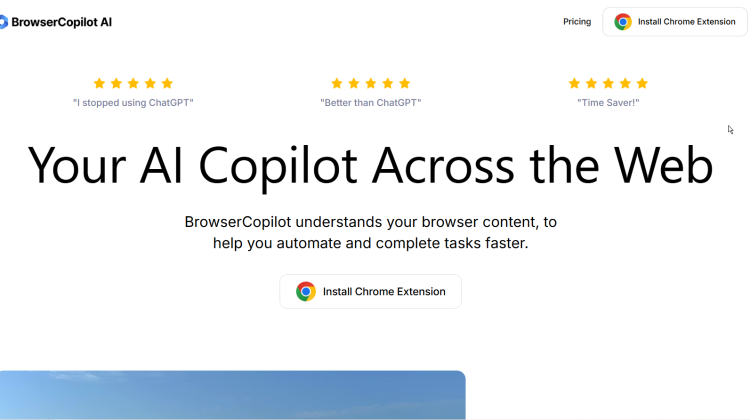
BrowserCopilot AI is an AI-powered browser assistant that understands your webpage content and helps you complete tasks faster. It works as a Chrome extension across the entire web.
The copilot integrates directly into your browser. No more switching tabs or copy-pasting to ChatGPT.
Core capabilities include:
- Chat with any website using context
- AI vision to capture screenshots and ask questions
- Quick menu to highlight text and reply
- Email copilot that understands inbox context
- Custom workflows with preset prompts
- Access to 5+ AI models including ChatGPT Pro, Claude Pro, and Gemini Pro
Over 4,000 users rely on BrowserCopilot. It has 4.3/5 stars with 119 ratings on the Chrome Web Store.
I like how it eliminates the constant switching between your work and ChatGPT. The AI understands what you’re reading, so responses are more relevant.
Users report finishing work 2-3 hours faster each day. It’s GDPR compliant and CCPA ready.
2. Who Created BrowserCopilot AI?
BrowserCopilot AI was created by Mohammed Lashuel. He’s listed as the maker on Product Hunt where the product launched.
Lashuel built the product because he personally uses it every day. According to his Product Hunt post, it’s changed how he works significantly. He now finishes work 2-3 hours faster daily.
The product originally started as a feature within ChatPlayground.ai. It was later separated into its own standalone product called BrowserCopilot AI.
The team’s mission: Create an AI assistant that understands browser context and assists whenever needed. They wanted to eliminate the friction of switching between work and AI tools.
The product launched on Product Hunt in October 2024. It ranked #3 product of the day on October 20th, 2024.
I appreciate that the creator built something he actually uses himself daily. This shows real understanding of user needs.
3. How Much Does BrowserCopilot AI Normally Cost?
BrowserCopilot AI offers three pricing tiers with annual or monthly billing:
Individual Plan: $17/month
- 1,000 queries per month
- 2 custom copilots
- 1 individual seat
- Full access to all features
Standard Plan: $23/month
- 3,000 queries per month
- 4 custom copilots
- 3 team seats
- Full access to all features
Team Plan: $55/month
- 10,000 queries per month
- 10 custom copilots
- 10 team seats
- Full access to all features
All plans include: Access to ChatGPT Pro ($20/mo value), Claude Pro ($20/mo value), Gemini Pro ($20/mo value), browser copilot, AI vision, chat with PDFs/images, saved history, and priority support.
Choose yearly billing and save 43%. All plans include a 7-day free trial.
I think the Individual plan offers excellent value considering you get three $20/month AI services included.
4. What Are The Benefits Of Using BrowserCopilot AI?
BrowserCopilot AI delivers significant productivity gains for professionals who work online:
Faster Work Completion: Users report finishing work 2-3 hours faster daily. The copilot understands context so you work more efficiently.
No More Copy-Pasting: Stop switching between tabs and copying content to ChatGPT. The AI understands your current page automatically.
Multiple AI Models: Access ChatGPT Pro, Claude Pro, and Gemini Pro in one interface. Compare outputs and pick the best answer.
Context Awareness: The copilot knows what you’re working on. Responses are relevant to your specific situation.
Custom Workflows: Build personalized copilots for repetitive tasks. Create shortcuts for common actions.
Team Productivity: Share custom copilots, workflows, templates, and prompts with teammates.
Cost Savings: Users report saving hundreds monthly by replacing separate ChatGPT and Gemini subscriptions.
I appreciate how it reduces cognitive load. You stay focused on one task instead of managing multiple AI tools.
5. What Are The Main Features Of BrowserCopilot AI?
BrowserCopilot AI provides comprehensive features that work across your entire browsing experience:
Browser Copilot:
- Understands context of any website
- Assists with reading and writing on any webpage
- Explain, summarize, rewrite, or improve content
- Always available when you need it
AI Vision:
- Screenshot directly from your copilot
- Ask questions about images you capture
- Chat with images and PDFs
Quick Menu:
- Highlight text and get instant responses
- Custom prompts for specific workflows
- One-click shortcuts for common tasks
Email Copilot:
- Understands email context automatically
- No copying and pasting required
- Master your inbox efficiently
Custom Copilots:
- Build AI assistants for specific tasks
- Create workflows to automate repetitive work
- Share with team members
Multiple AI Models:
- Access 5+ AI models
- ChatGPT Pro, Claude Pro, Gemini Pro included
- Compare outputs instantly
Additional Tools: Prompt engineering, writing assistant, saved chat history, priority support, team management, privacy and data security.
6. What Companies And Brands Use BrowserCopilot AI?
BrowserCopilot AI serves individual professionals and teams rather than large corporations. Over 4,000 users actively use the Chrome extension.
Professionals featured on their website:
- Carter L.: Stanford Professor
- Clara H.: Freelance Designer
- Selana Yuri: Carbon Co-founder
- Alex Joes: Managing Director
- Joachim: Head of Product
- Max K: Co-Founder at Flowlu
- Brandon C.: CEO at GroupUltra
- Growth Ninja: Growth Marketer
User types include:
- Professors and educators
- Freelance designers and creatives
- Startup founders and CEOs
- Product managers and heads of product
- Marketing professionals
- Managing directors
The platform offers team features for organizations wanting to share workflows and copilots. Teams can collaborate on custom prompts and templates.
I notice users span diverse professional backgrounds from academia to startups to marketing agencies.
7. How Have They Benefited From It?
Users report transformative improvements in their daily workflows:
Mohammed Lashuel (Creator) finishes his work 2-3 hours faster every day. The tool literally changed how he works.
Carter L. (Stanford Professor) loves customizing the AI to get responses that fit exactly what he needs.
Clara H. (Freelance Designer) easily asks questions about the screen she’s viewing while web surfing. Perfect when something piques her curiosity.
Selana Yuri (Co-founder) finds it supremely useful for comparing outputs and getting lots of things done fast.
Alex Joes (Managing Director) uses the tool for every email response, document, description, content creation, and comment he writes.
Max K (Co-Founder) replaced ChatGPT entirely. Much easier than having two tabs open.
Brandon C. (CEO) appreciates having the AI assistant right there as he works. It understands context and provides personalized responses. One-click shortcuts make writing and editing a breeze.
Growth Ninja praises the excellent user experience and customer experience.
8. Does BrowserCopilot AI Come With A Satisfaction Guarantee?
BrowserCopilot AI doesn’t advertise a traditional money-back guarantee on their website. However, they reduce your risk through several methods.
7-Day Free Trial: Test all features before paying anything. Full access to see if it works for your workflow.
No Credit Card Required: Start your trial without payment information. Only pay if you decide to continue.
Multiple Access Points: Available on Chrome Web Store with transparent ratings (4.3/5 stars from 119 reviews). Read real user feedback before installing.
Flexible Plans: Start with Individual plan and upgrade anytime. Scale based on your needs.
Team Features: Test with small team before rolling out organization-wide.
Security and Compliance: GDPR compliant and CCPA ready. Your data stays private and secure.
Priority Support: All paid plans include priority customer support for quick issue resolution.
I recommend taking advantage of the 7-day free trial. Install the Chrome extension and test it with your actual daily work to see the time savings firsthand.
9. What Other Deals Can You Kindly Bestow Upon Me?
Check out our daily deals page to browse all the latest deals and discounts on marketing, design, and creative tools and tech. Most of these deals are like a fart in the wind – only available for a limited time. So if you want to save money on something you were going to buy anyway, bookmark the page and check it out daily…