Want a 80% off VectoSolve coupon code for vectosolve.com? Then click to unlock the discount promo offers below before they expire:
Latest VectoSolve Coupon Codes & Promo Discount Deals
- Save 80% off with this limited-time VectoSolve discount code:
1. What Is VectoSolve?
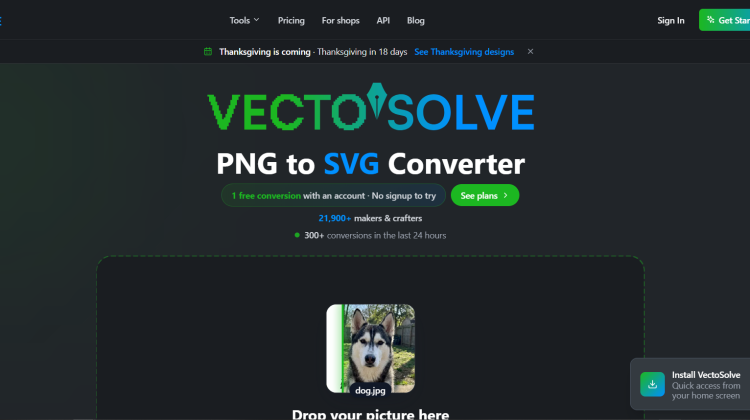
VectoSolve is an AI image to SVG converter. You drop in a PNG, JPG, or WEBP file. It rebuilds the picture as clean vector shapes. You can use the file at any size.
I like that you see a preview first. Their website says the preview is free and needs no signup. It carries a watermark until you pay. The tool suits many jobs:
- Cricut and vinyl cutting
- Laser engraving (LightBurn, Glowforge, xTool)
- Embroidery files (DST, PES, JEF)
- Print shops and Etsy listings
It also offers background removal, an upscaler, a logo generator, and SVG animation. Their website says a conversion takes seconds.
2. Who Created VectoSolve?
VectoSolve was built by Robin. He is the founder and sole developer. Their website says he has built it solo since 2024.
Before coding, Robin worked as a landscaper and plasterer. He taught himself to code from scratch. His story starts with a real problem. He needed to vectorize images. The options were costly or hard to learn. Their website names Vector Magic at $299 a year as an example.
He says he builds every feature, fixes every bug, and answers every support email himself. I find that refreshing. It also means a very small team. The site lists its tech stack openly: Next.js, TypeScript, Tailwind CSS, Stripe, Vercel, and Supabase.
3. How Much Does VectoSolve Normally Cost?
You can pay per file or subscribe. Their website lists these prices:
- Preview: free, with a watermark
- Single file: $6.99 one time, no subscription
- Starter: $7.99 per month, or $49 per year (about $4.08 a month). It includes 25 conversions a month.
- Pro: $14.99 per month, or $129 per year (about $10.75 a month). It includes 100 conversions a month.
- Custom: a quote for API access and bigger needs
Shop plans run $29, $79, $199, and $449 per month. A done-for-you file service starts at $9 per file.
Unused credits roll over while your account is active. I think the $49 yearly Starter plan is the best value.
4. What Are The Benefits Of Using VectoSolve?
Here are the benefits I see on their website:
- You check before you pay. The full preview is free.
- You get cleaner files. It removes stray specks and merges near-identical colors. Their website says this helps machines cut smoothly.
- You save time. Conversions take about 2 to 5 seconds.
- You get machine-ready formats. Paid plans include SVG, DXF, and embroidery files.
- You get lower prices. Starter costs $7.99 a month. Their comparison lists Illustrator at $22.99.
For me, the clean-up step matters most. Raw auto-trace files often hold hundreds of tiny shapes. Those can slow down a cutter.
5. What Are The Main Features Of VectoSolve?
VectoSolve packs many tools into one account. These are the ones I would try first:
- PNG, JPG, and WEBP to SVG: AI traces edges and colors
- Batch processing: convert several images at once
- Color editing: recolor each color of the SVG
- Background removal: done in the same place
- AI upscaler: 2x and 4x enlargement
- Machine files: DXF, G-code, DST, PES, and JEF
- Logo, SVG, and pattern generators
- SVG animation: seven free presets, plus AI options
- Etsy listing helper: titles, tags, and alt text
It also offers an API, a Chrome extension, and a Firefox add-on. Their website lists 70 converters in total.
6. What Companies And Brands Use VectoSolve?
Their website does not show big-brand customer logos. I want to say that plainly. It focuses on individual makers and small shops.
It claims 21,900+ makers and crafters. It also reports 25,800+ conversions. The people it names as users include:
- Crafters and Etsy sellers
- Laser engravers
- Print shops and Shopify stores
- Figma designers and Illustrator pros
The tool works with LightBurn, Illustrator, Inkscape, Figma, Etsy, Shopify, and Google Slides. It has also been featured on Product Hunt, AlternativeTo, Reddit, and Indie Hackers. Those are listings, not clients.
7. How Have They Benefited From It?
Their website shows two customer messages. It says they are real support emails, quoted with permission. I like that honesty. It also means the proof is limited.
- Lindsey (LIBTT, screen-printed apparel): says she does not know how it was done. She is sending the file to her printer.
- Francis (CNC carving on a Shapeoko): says the service is “too good to be true.”
Their website also shares a before-and-after logo example. The PNG shows square edges when enlarged. The SVG stays sharp at any size.
These are small samples. Test your own file with the free preview before you decide.
8. Does VectoSolve Come With A Satisfaction Guarantee?
I did not see a clear money-back guarantee on their website. The site does take other steps to lower your risk:
- Free full preview with no signup. You never pay for a file you have not checked.
- Failed conversions are credited back automatically. No ticket is needed.
- Cancel in two clicks from your account page.
- Credits roll over and do not expire while your account is active.
- Stripe checkout handles payments securely.
- Done-for-you files: you get a free quote and pay only after you see the preview.
- Email support: contact@vectosolve.com.
My advice: run the free preview on your toughest image first.
9. What Other Deals Can You Kindly Bestow Upon Me?
Check out our daily deals page to browse all the latest deals and discounts on marketing, design, and creative tools and tech. Most of these deals are like a fart in the wind – only available for a limited time. So if you want to save money on something you were going to buy anyway, bookmark the page and check it out daily…