
You’re sitting on set, camera rolling, perfectly nailing a scene. The footage looks incredible. Then reality hits: you need to transfer gigabytes of raw video to your editing station, and you’re watching a progress bar crawl across your screen like it’s running through molasses.
Sound familiar?
Video editors know the pain. Transfer speeds directly impact your timeline. A few minutes of waiting compounds across dozens of video files. A few hours of waiting compounds across an entire project. When you’re juggling multiple shoots, client deadlines, and revision rounds, those lost hours add up to lost money.
The right portable SSD doesn’t just store your files—it fundamentally changes how you work.
The Real Cost of Slow Storage
Most video editors inherit whatever external drive sits in the equipment locker. They plug it in, accept the transfer speed, and build their workflow around the wait time. They’ve accepted that video editing is inherently slow.
It doesn’t have to be.
When you’re transferring raw 4K footage, the difference between 1000 MB/s and 2000 MB/s isn’t academic—it directly impacts your paycheck. A 50GB file transfer that takes 50 seconds with standard SSDs takes just 25 seconds with faster drives. Multiply that across a full day of footage import, color correction exports, and final render transfers. You’re looking at hours reclaimed.
The portable SSDs on the market perform differently. Some drives are built for speed. Others prioritize portability and durability. Some balance both. Knowing the difference determines whether you’re saving time or wasting it.
Key Performance Factors for Video Editing
Transfer Speed This is your primary concern. Video editing creates large, sequential file transfers. You need consistent, fast read and write speeds. Look for drives hitting 1050 MB/s minimum, but 2000 MB/s is where real speed advantages emerge.
Sustained Performance Some drives advertise impressive speeds that only last for short bursts. Your workflow involves sustained transfers of 20GB+ files. You need a drive that maintains speed throughout the entire transfer without throttling down.
Capacity 4K video consumes 375 GB per hour at standard bit rates. 8K demands over 700 GB per hour. You need enough storage to capture a full shoot, plus backup space. The minimum recommended capacity is 2TB for serious video work. 4TB+ gives you breathing room.
Durability Portable SSDs travel. They get dropped, exposed to temperature changes, and pushed into packed bags. Drop protection and solid construction matter when you’re on location.
Top Contenders Compared
1. Samsung T9 4TB—The Speed Leader

SAMSUNG T9 Portable SSD 4TB [click to view…]
The Samsung T9 delivers sequential read speeds up to 2,000 MB/s, which is double the performance of its predecessor. For video editing workflows, this translates to noticeably faster transfers.
The T9 is specifically designed for content creators. It features sustained write speeds up to 1,000 MB/s after Turbowrite, preventing sudden performance drops during longer processes—exactly what you need when exporting multi-gigabyte video files.
The T9 uses USB-C 3.2 Gen 2×2, delivering up to 20 Gb/s throughput. This is crucial because older USB standards become the bottleneck. The T9 removes that limitation entirely.
Real-World Impact: A 100GB 4K video file transfer takes approximately 50 seconds with the T9 versus 100+ seconds with standard 1050 MB/s drives. Across a day of filming, you’re recovering 20-30 minutes of transfer time.
Thermal management matters too. The T9 includes Dynamic Thermal Guard to withstand and control heat, keeping the SSD at ideal temperatures even during heavy use.
Practical Features:
- Drop resistance up to 3 meters
- 5-year limited warranty
- Compatible with iPhone 15 Pro/Pro Max for 4K ProRes recording
- Works with gaming consoles, professional cameras, and 12K compatible devices
The only caveat: achieving full 2000 MB/s speeds requires a host device with USB 3.2 Gen 2×2 support. Many older systems max out at USB 3.2 Gen 2 (1050 MB/s). Check your equipment’s specs before purchasing.
2. SanDisk Extreme Portable 2TB/4TB—The Balanced Option
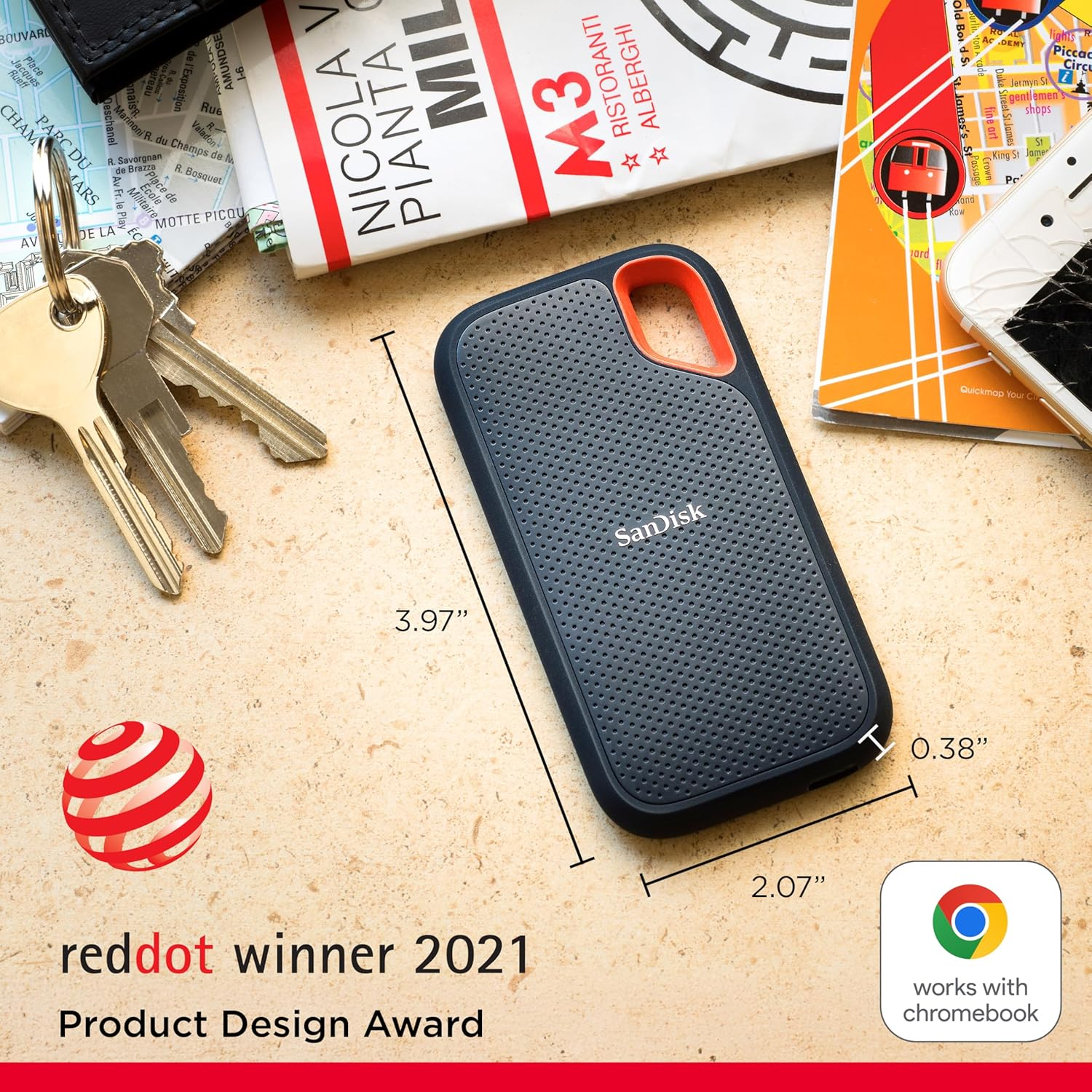
The SanDisk Extreme delivers 1050 MB/s read and 1000 MB/s write speeds with USB 3.2 Gen 2 connectivity. It’s nearly twice as fast as SanDisk’s previous generation, making it a solid choice for professional video work.
This drive prioritizes durability alongside speed. It features up to two-meter drop protection and IP55 water and dust resistance, making it more rugged than many competitors. The silicon shell provides both protection and a premium feel.
Available Capacities:
- 2TB for mid-level projects
- 4TB for serious production work
The SanDisk includes a 5-year limited warranty, demonstrating manufacturer confidence in the drive’s reliability.
The trade-off: You’re getting 1050 MB/s instead of 2000 MB/s. For smaller projects or less time-sensitive work, the difference is negligible. For high-volume video work, the Samsung T9’s speed advantage becomes meaningful.
Samsung T7 1TB—The Compact Entry Point
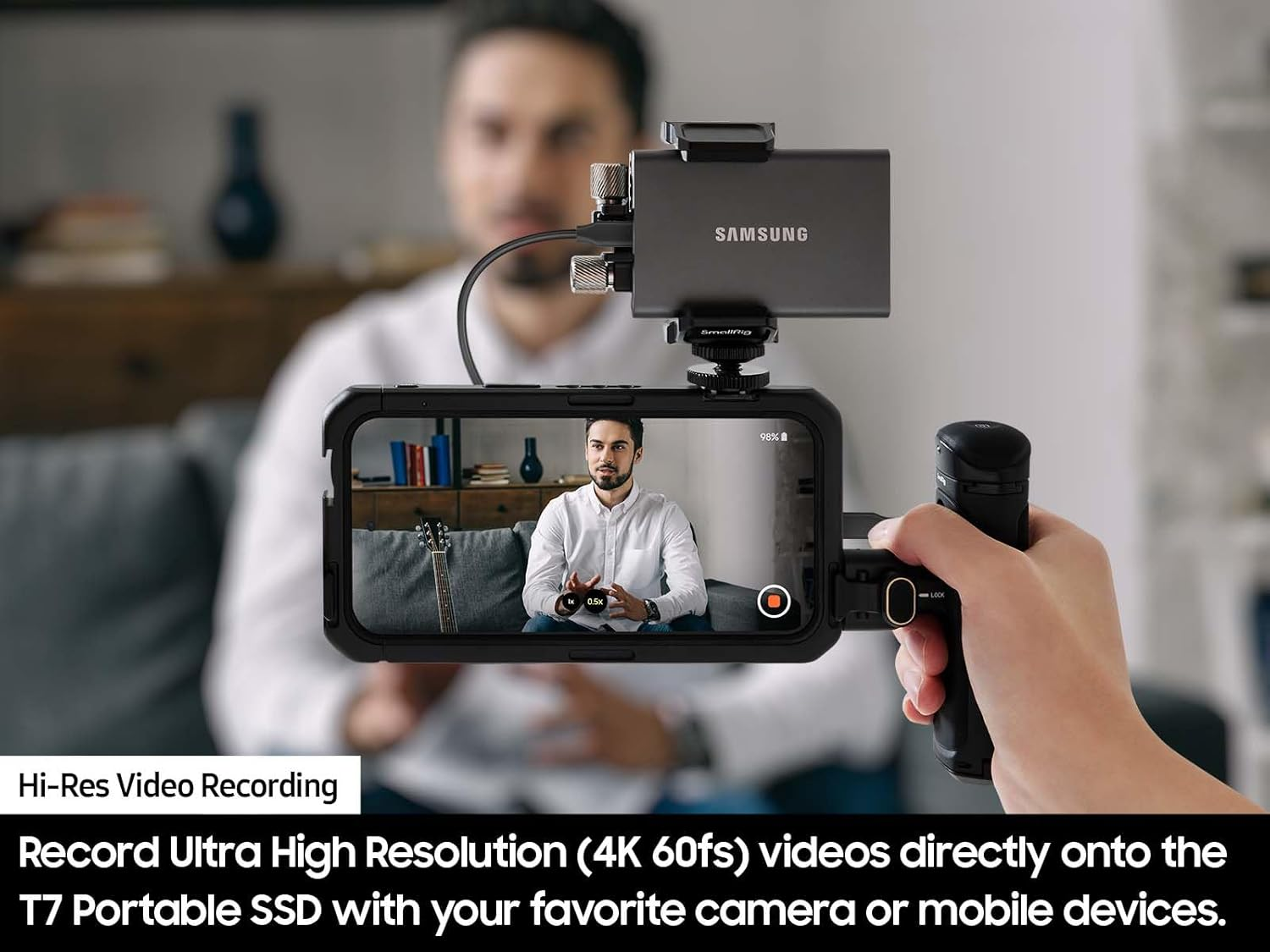
SAMSUNG T7 Portable [click to view…]
The Samsung T7 reaches speeds up to 1,050 MB/s with USB 3.2 Gen 2, making it 9.5x faster than traditional external hard drives. It’s the predecessor to the T9, but remains a solid performer.
The T7 is shock-resistant and capable of withstanding drops from up to 6 feet, protected by solid aluminum unibody construction. It’s backed by a 3-year limited warranty.
The 1TB capacity works for smaller projects, B-roll storage, or backup drives. For primary editing storage, you’ll want the 2TB+ versions.
Capacity Planning for Your Workflow
Video file sizes demand careful planning. Here’s what different capacities handle:
2TB Portable SSD:
- 5-6 hours of 4K video at standard bit rates
- Full production backups
- Ideal for documentaries, short-form content
4TB Portable SSD:
- 10-12 hours of 4K video storage
- Multiple projects simultaneously
- Professional video production with redundancy
Selection Strategy: Choose a drive size that covers your entire shoot plus 20% buffer. If you’re frequently transferring files to permanent storage, a 2TB drive with weekly offloading works. If you hold projects for weeks, go 4TB.
Real Workflow Impact
Let’s quantify the time savings with actual numbers.
Scenario: 4K Documentary Shoot (200GB of Footage)
Using SanDisk Extreme (1050 MB/s):
- Transfer time: 190 seconds (3.2 minutes)
- Color correction export: 85 seconds (1.4 minutes)
- Final render backup: 120 seconds (2 minutes)
- Daily total: 6.6 minutes
Using Samsung T9 (2000 MB/s):
- Transfer time: 100 seconds (1.7 minutes)
- Color correction export: 45 seconds (0.75 minutes)
- Final render backup: 63 seconds (1 minute)
- Daily total: 3.45 minutes
Time saved per day: 3.15 minutes
Over a 20-day shooting schedule, that’s an hour reclaimed. Over a 100-day post-production cycle handling multiple projects, you’re recovering 5+ hours. At $100+/hour, that’s real money.
Physical Durability Comparison
Video equipment gets abused. Your drive sits in backpacks, gets moved between cars and location vans, and survives temperature swings from air-conditioned studios to outdoor shoots.
All drives in this comparison handle the physical reality of video work. The SanDisk Extreme’s IP55 rating and drop protection make it particularly rugged. The Samsung T9’s 3-meter drop resistance and fabric-like grip surface make it easier to hold securely when moving between work stations.
Compatibility and Ecosystem
Modern SSDs work across Windows, Mac, Linux, gaming consoles, and professional cameras. However, full speed requires proper USB support.
Requirements for Maximum Speed:
- T9 (2000 MB/s): USB 3.2 Gen 2×2 port required
- T7/SanDisk (1050 MB/s): USB 3.2 Gen 2 port required
- Older USB 3.0 ports: Maximum 400 MB/s regardless of drive specs
Check your computer’s specifications before purchasing. If your system maxes out at USB 3.1, you won’t realize the T9’s speed advantages—though you’ll still get faster performance than older drives.
Making Your Choice
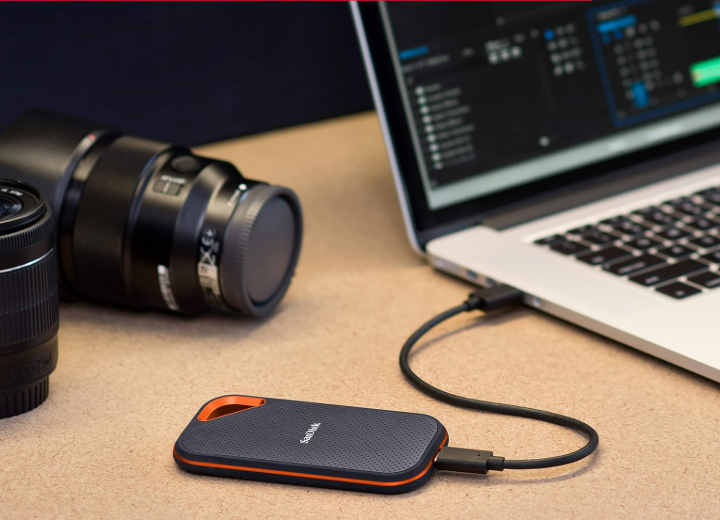
Best Overall Value: Samsung T9 4TB—Speed advantage compounds across daily workflow, 4TB capacity handles serious production work.
Best Budget Option: Samsung T7 or SanDisk Extreme 2TB—Both deliver solid 1050 MB/s performance at lower price points.
Most Durable: SanDisk Extreme—IP55 rating and drop protection earn priority if you’re shooting primarily on location.
Best for Mac Users: Samsung T9—Despite slightly reduced speed on Mac (limited to 1000 MB/s due to lack of Gen 2×2 support), the 2000 MB/s sustained write speed after Turbowrite benefits longer projects.
The key insight: Portable SSD choice directly impacts your editing efficiency. Speed differences that seem small in specifications compound into hours of reclaimed time across a production cycle. Video editing demands sustained performance, not just burst speeds. The drives that deliver consistent 1050-2000 MB/s throughout large file transfers eliminate the slowdown that’s standard with consumer-grade external storage.
Your next project deadline will come. You can spend it waiting for transfers to complete, or you can recover those hours through the right storage choice.
The difference is worth the investment.
Other Popular Posts:
 10 Unique & Cool Computer Keyboards That You Will Wish You Were Using Right Now
 10 CREATIVE Bathroom Toilet Games That Will Help You Relax During Constipation
 This Video Shows What Life Was Like For Graphic Designers BEFORE Photoshop… It Wasn’t Easy
 The Best YouTube Video Summarizer Extensions for Chrome in 2025
 10 LED Shoes That Light Up At The Bottom And Change Colors So Bright
 10 UNIQUE & Cool Piggy Banks That You’ll Actually Want To Use

 10 Creative Alarm Clocks For Heavy Sleepers That Will Wake You Up In 30 Seconds Or Less
 10 UNIQUE Toilet Paper Holder Designs That Your Bathroom Will Thank You For